A Mac app for multi-brand social

Every brand's socials in one window.

Run Instagram and TikTok for every brand from one Mac app. Post everywhere at once, track what works and read SMS login codes.

Instagram TikTok YouTube X Threads LinkedIn Facebook
Social's Overview screen: followers, posts, views, likes, comments and shares across five accounts in three brands, with a daily views chart for the last 30 days.

What it does

Built for studios that handle a lot of social accounts.

Each brand keeps its own accounts, its own logins and its own numbers. Social puts them side by side so nothing gets posted to the wrong place.

01 · Overview

See every account on one screen.

Followers, views, likes, comments and shares across all your brands, for the last 7, 30 or 90 days. Switch to a single account when you want the detail.

  • Daily chart for views, impressions, reach or likes
  • What's going out next, and anything that failed
  • Top posts sorted by views or engagement rate
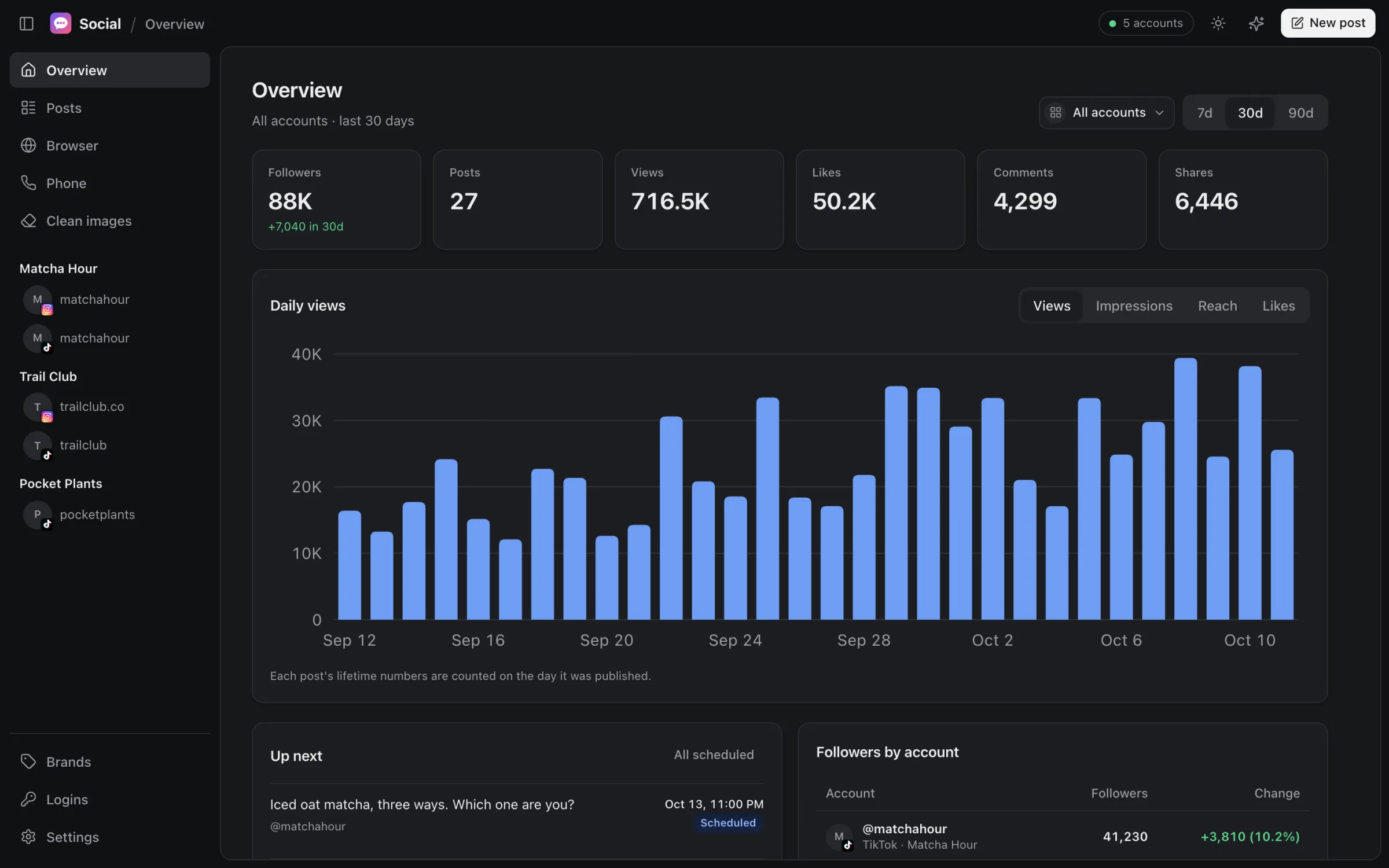
Overview screen with totals and a daily views chart.

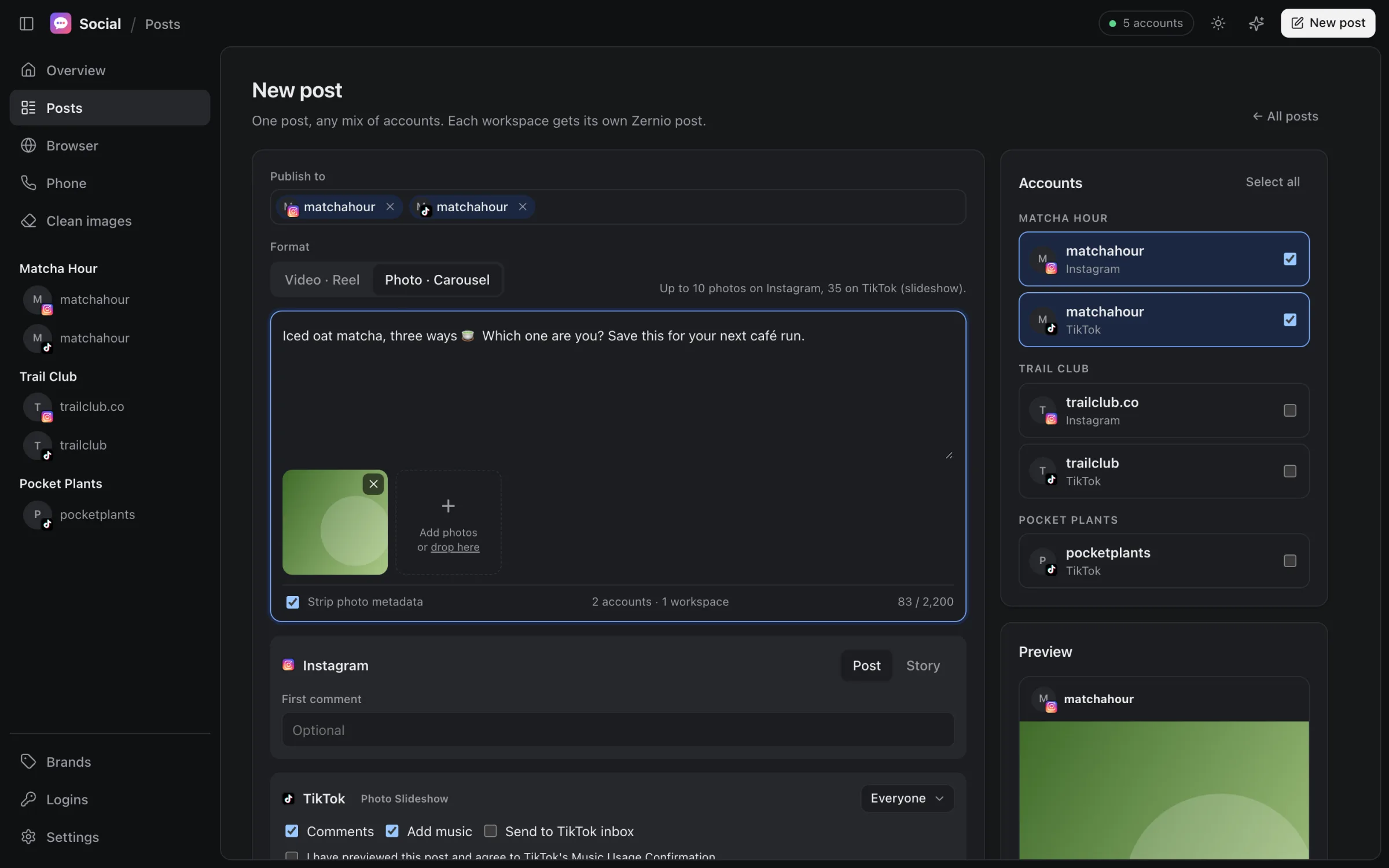
02 · Compose

Write it once. Post it everywhere.

Pick any mix of accounts, even across brands, and Social sends one post to each. Reels, carousels, stories and TikTok photo slideshows all start from the same box.

  • Post now, schedule for later, or save a draft
  • Instagram first comment, TikTok privacy, duet and stitch settings
  • See a preview of each post before it goes out
New post screen with a caption, a photo, and two Matcha Hour accounts selected for Instagram and TikTok.

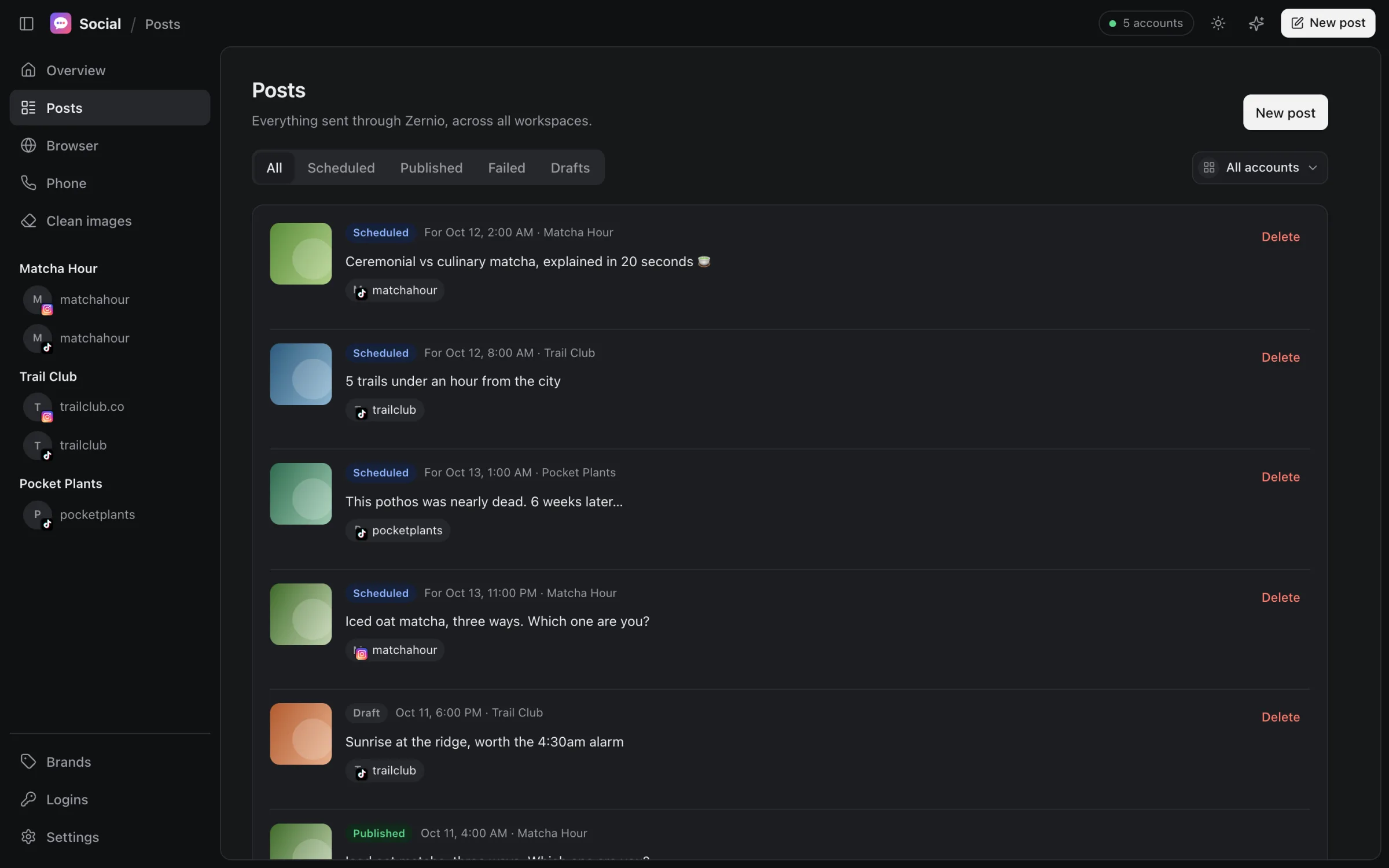
03 · Posts

Know what's going out, and what didn't.

Every post you've sent through Social, across every brand, filtered by status or account. Scheduled, published, failed and drafts each get a tab.

  • Retry a failed post in one click
  • Delete anything that hasn't published yet
  • Links straight to the live post
Posts screen listing scheduled, draft and published posts for three brands.

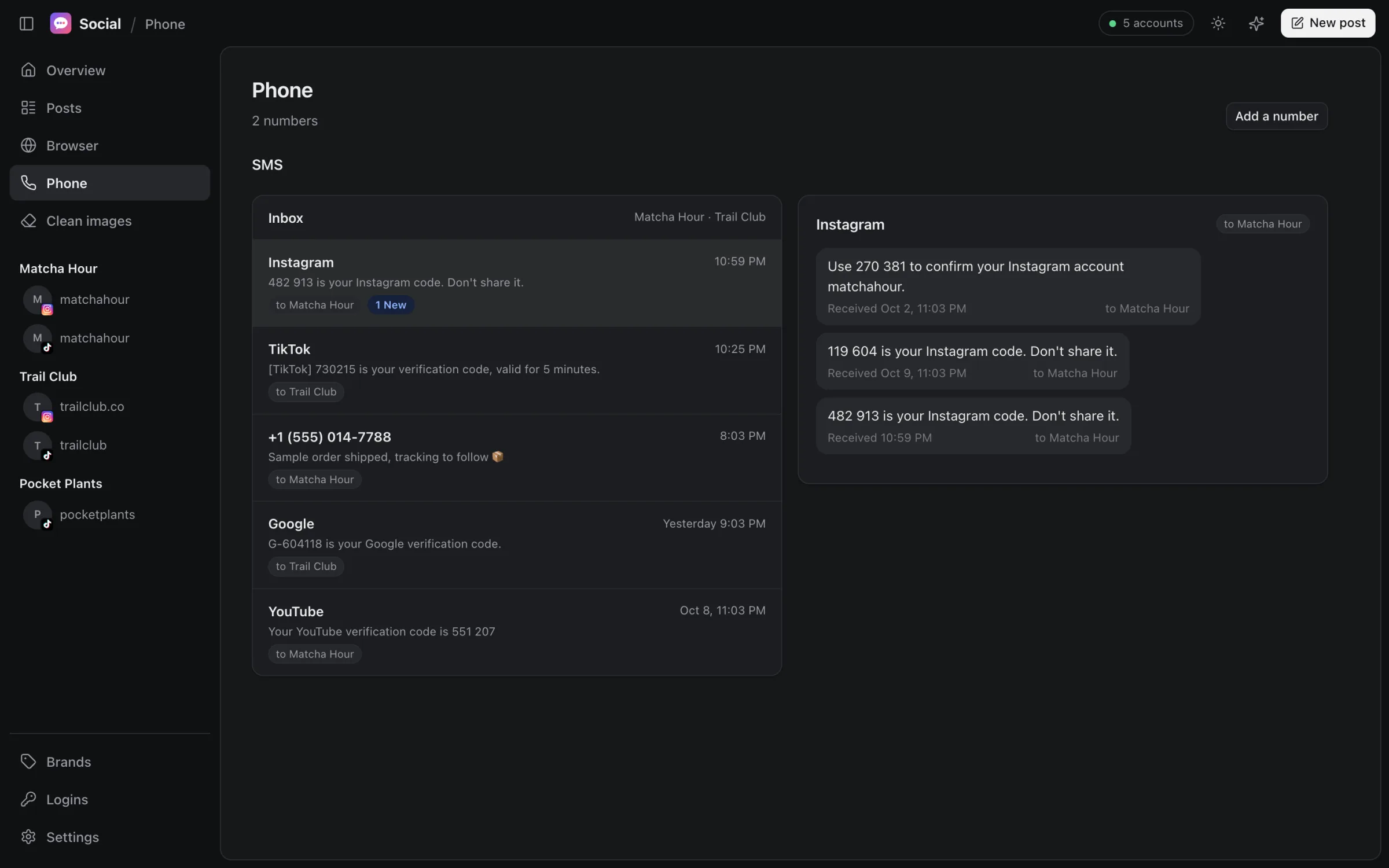
04 · Phone & SMS

Login codes, without the phone.

Each brand signs up for its accounts with its own business number. Connect those numbers and their text messages show up in Social, next to the accounts they belong to.

Phone screen showing an SMS inbox with verification codes from Instagram, TikTok, Google and YouTube, each tagged with the brand number it was sent to.

One inbox for every number

Codes from Instagram, TikTok, Google and anyone else land in one list, newest first, with unread counts.

Tagged by brand

Every message shows which of your numbers it was sent to, so a code for one brand never gets used on another.

Read-only

Social reads incoming texts. It doesn't send SMS, doesn't text your contacts and never sends marketing messages.

You connect numbers you already own with your SMS provider. Messages are fetched straight from that provider to your Mac and kept in memory while the app is open. Jirazo Labs never receives them.

And the rest

The small things that save the most time.

A browser per brand

Every account opens in its own tab with its own saved login, side by side or in a grid up to 4×4. Switching never signs anyone out. Sound is muted by default.

An assistant that asks first

Ask for a week of drafts in a brand's voice, last month's best posts, or the latest code from a number. Anything that publishes or deletes waits for your approval.

Brands, not just accounts

Group accounts under the brand they belong to. The sidebar, filters and compose screen all follow your grouping.

Encrypted on disk

API keys, number tokens and brand settings are encrypted with a key held in your macOS Keychain. Without your login, the files are unreadable.

Your data

It stays on your Mac.

No servers
Social talks directly to the services you connect. We don't run a backend that sees your accounts, posts or messages.
No tracking
No analytics, ads or telemetry inside the app, and no cookies on this site.
Your own keys
You connect your own posting workspace, SMS numbers and AI account. You can disconnect any of them at any time.
Plain policy
The privacy policy lists exactly which services see what, and the terms cover how the app may be used.

Run every brand from one place.

Social is in private use while we finish it. Tell us what you manage and we'll be in touch.